Special Options
Various special options have been added for user quality of life and customization. This section explains each special option in depth.
These options are located in the open the DCS options from the main menu, open the SPECIAL tab, then select the F-100D from the left column.
Gameplay
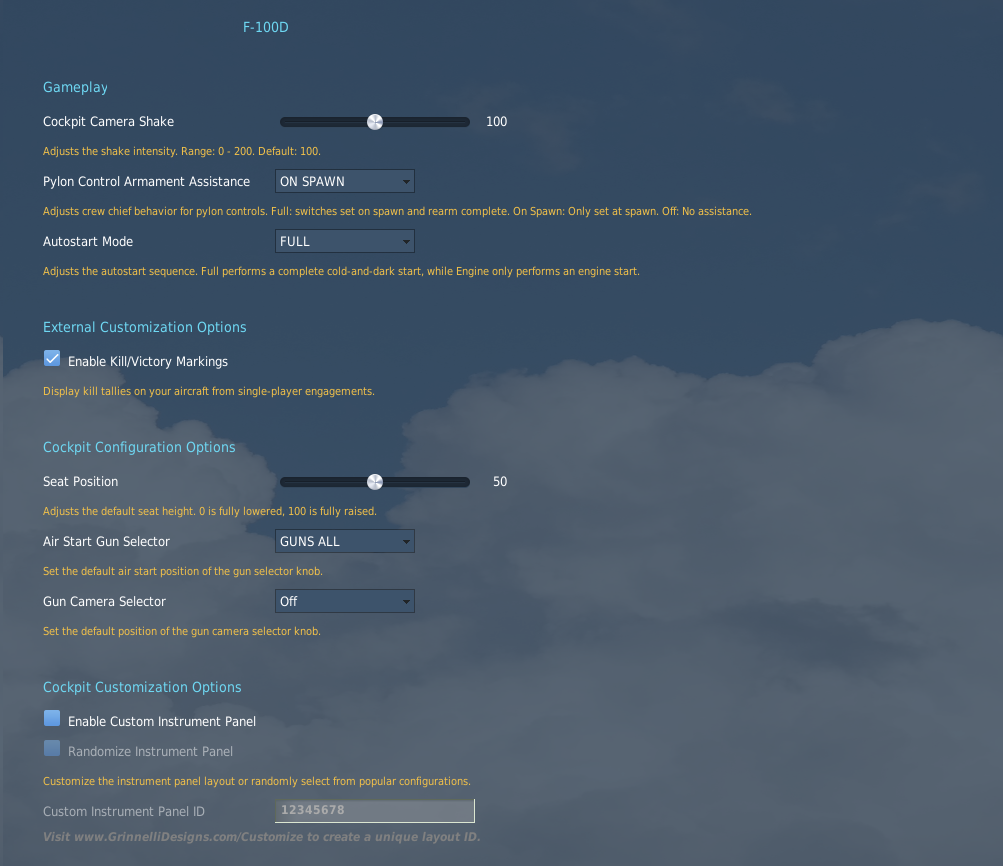
Cockpit Camera Shake
The cockpit camera shake can be adjusted on this slider as an overall multiplier to global cockpit camera shake.
Pylon Control Armament Assistance
This decides how the pylon loading control panel is setup.
| Setting | Pylon Loading Assistance |
|---|---|
| OFF | None—up to pilot |
| ON SPAWN | Set automatically on spawn. After rearming it is up to the pilot to set |
| FULL | Set automatically on spawn and after rearming complete. |
Autostart Mode
| Setting | Startup |
|---|---|
| FULL | Opts out of any auto start assistance for a complete cold-and-dark start. |
| ENGINE ONLY | sets all other switches, knobs, and settings for start; thus, the engine is the only required item for a complete start. |
External Customization Options
Victory Kill Markings
Enables or disables aircraft victory kill markings on the side of the nose portion of the fuselage account (currently) for single player air-to-air and air-to-ground kills.
Cockpit Configuration Options
Seat Position
Adjusting this slide moves the default seat height (and viewpoint). 0 is fully lowered, and 100 is fully raised.
Air Start Gun Selector
Adjusts the default setting of the Gun Selector Knob.
Gun Camera Selector
Sets the default position of the Gun Camera Selector Knob.
Cockpit Customization Options
Sets dynamic or custom instrument panel gauge positions.
If you enable the Custom Instrument Panel, you can randomize between known historical layouts, or enter your own custom panel ID code using the Grinnelli Designs F-100D Dash Creator.
Gun Camera Settings
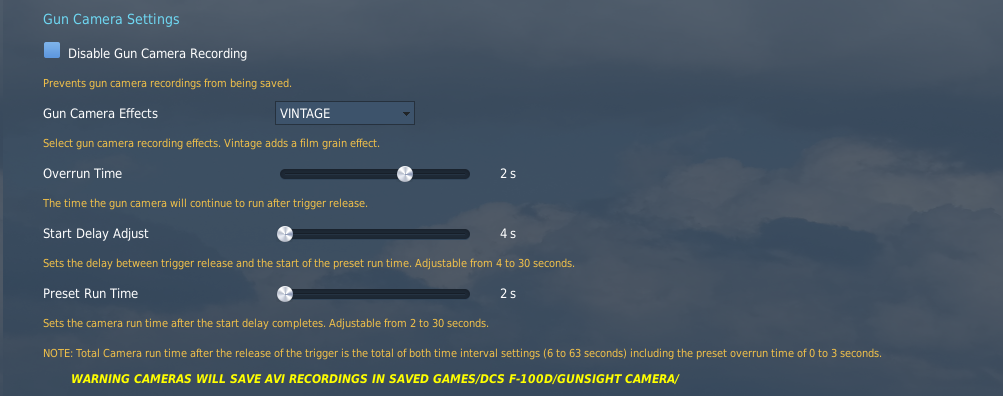
Disable Gun Camera Recording
Unchecking the box disables gun camera recording, preventing video file generation.
Gun Camera Effects
Adjists post-processing effects applied to gun camera recording video files.
Overrun Time
Adjusts how long the gun camera records after trigger press, from 0-3 seconds.
Start Delay Adjust
Adjusts the time between trigger release and the start of the preset run time, from 4-30 seconds.
Preset Run Time
Adjusts the run time of the gun camera after start delay, from 2–30 seconds.
Note
Total camera run time after the release of the trigger is the total of both time interval settings (6-63 seconds) including the preset overrun time of 0-3 seconds.
Warning
AVI video files are located in %userprofile%/Saved Games/DCS: F-100D in the respective folder for the camera.
Strike Camera Settings
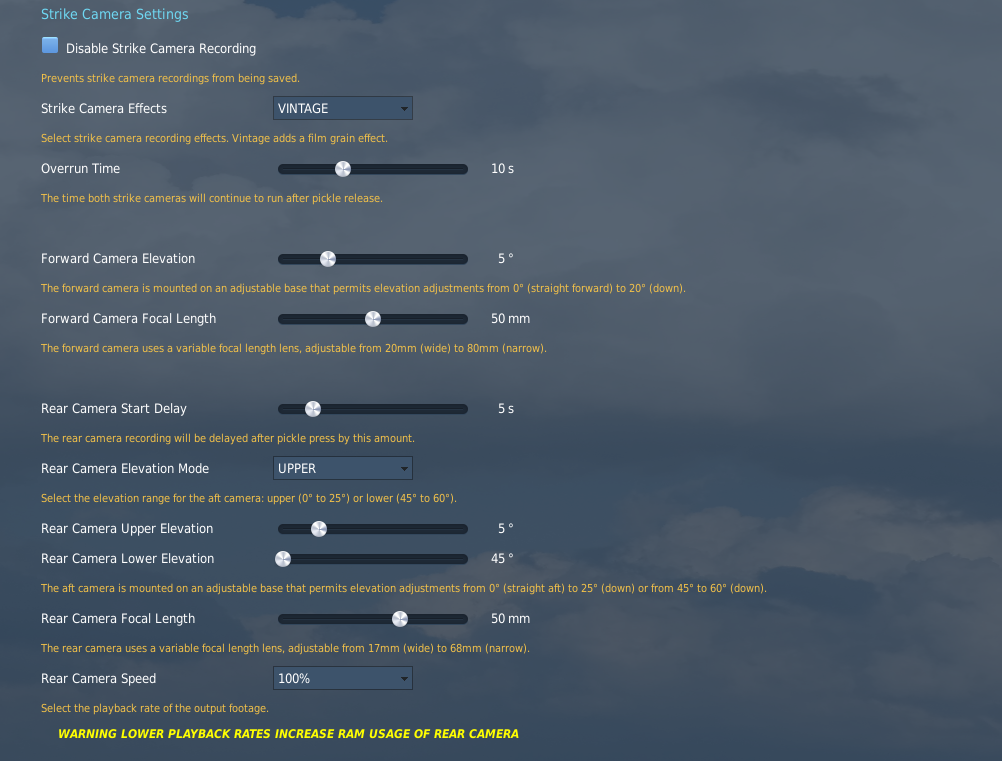
Disable Strike Camera Recording
Unchecking the box disables strike camera recording, preventing video file generation.
Strike Camera Effects
Adjusts post-processing effects applied to strike camera recording video files.
Overrun Time
Adjusts how long the strike cameras record after trigger press, from 0-3 seconds.
Forward Camera Elevation
The forward camera elevation can be adjusted from 0-20° down.
Forward Camera Focal Length
The forward camera uses a variable focal length lens, adjustable from 20mm (wide)-80mm (narrow).
Rear Camera Start Delay
The delay of the start of the rear camera recording after pickle press.
Rear Camera Elevation Mode
The rear camera elevation can be adjusted from 0-25° for the upper range, and 45–60° for the lower range.
Rear Camera Upper Elevation
Change the camera elevation from 0-25° down.
Rear Camera Lower Elevation
Change the camera elevation from 45–60° down.
Rear Camera Focal Length
The rear camera uses a variable focal length lens, adjustable from 17mm (wide)-68mm (narrow).
Rear Camera Speed
Adjusts playback rate of the output footage. 100% is real-time.
Warning
Lower playback rates increase RAM usage of rear camera.