Strike Camera
Introduction
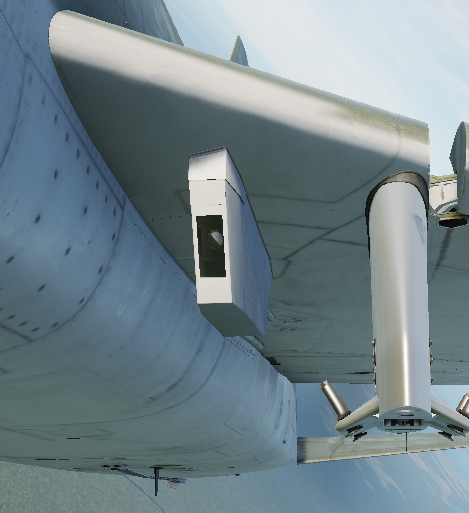
Forward and aft photographic documentation of weapon impacts is provided by two motion-picture cameras installed in a non-jettisonable pod on the underside of the left wing, halfway between the fuselage and inboard wing station.
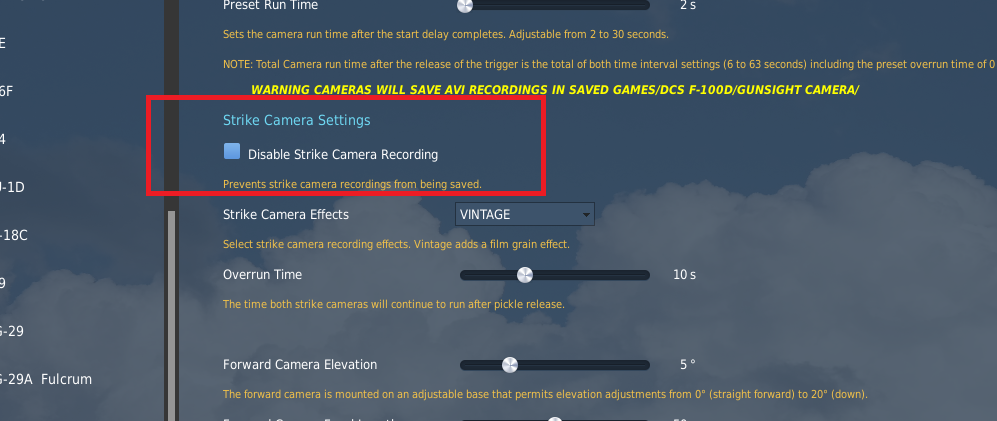
Enable Strike Camera Recording
Enable recording in the F-100D Special Options menu.
Add the strike camera pod in the mission editor, or have the ground crew perform an installation.
Strike camera recordings are generated when the bomb button is pressed. Recordings are saved in %userprofile%/Saved Games/DCS F-100D at the end of the mission.
Note
The gun camera and strike cameras only record when the view is in the cockpit.
Controls
Note
Additional camera controls related to the strike cameras are detailed in the gun camera section.
Strike Camera Settings Menu
When a strike camera is installed and weight is on the aircraft's wheels, you can use the Strike Camera Config Menu keybind to have the ground crew configure the strike cameras differently than the F-100D Special Options.
Type N-9 Forward Camera
The forward camera is a Type N-9, identical to the Type N-9 that is gun camera, except that the pod camera has a 20–80 mm variable focal length lens and a larger film magazine. The forward camera is mounted on an adjustable base that permits various elevation adjustments from zero (straight forward) to 20° down.
DBM-4C Aft Camera
The aft camera is a Type DBM-4C that is an electrically-driven, 16 mm internally loaded reel type camera. It has a 17–68 mm variable focal-length lens. The aft camera mount is adjustable to permit variations in elevation from 0 (directly aft)–25° down and from 45–60° down.